Slimmer Interface & Keyboard Shortcuts In Loremify 1.1

Note: An updated version of Loremify is available here.
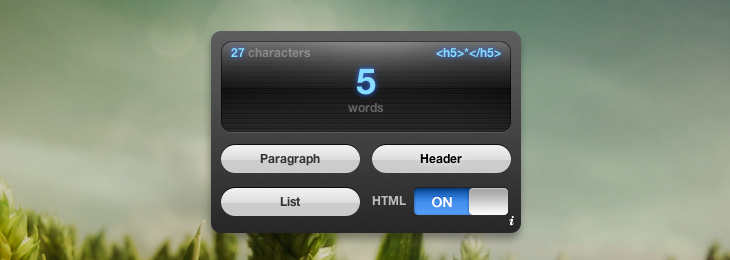
I just updated Loremify with a slimmer interface and some keyboard shortcuts to make it even faster and more fun to use. It takes up approximately 30% less space than before, and the new shortcuts enable you to control all selection options without ever leaving a button.
What's Loremify?
Loremify is a one-click tool to copy Lorem Ipsum. It lets you wrap in html, specify the amount of text, and copy it to your clipboard—all in one click. You can read more about it in the original post.
What's New
- Toggle HTML mode with Shift
- Toggle through HTML tags with "T"
- Active/inactive states for the screen (shortcuts only work when active)
- "pre" available as HTML tag for Paragraph
What's Changed
- Slimmer interface
- Minor speed improvements
- Added version number to the backplate
- Tweaked the icon
Download
Loremify runs as a Dashboard Widget on Mac OS X, is free to use, and is a mere 340kb download. I hope you enjoy it.
Thanks to everyone who tested the new version, and especially to Jannis Gundermann and Scott Plumlee for brilliant feature suggestions. If you’ve got any ideas on how to make Loremify even better, you can catch me on twitter.
